HOT TIP
Open late · iPhone · Free
One man has met all of them. Not one of their stories agrees.
Six rooms strung along one road, and somebody working in each of them. You came to settle a check — that part takes three seconds. The rest is why people keep opening it.
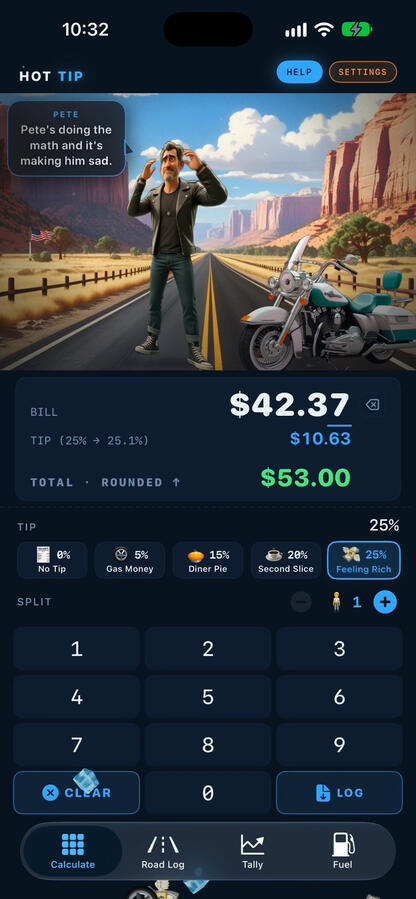
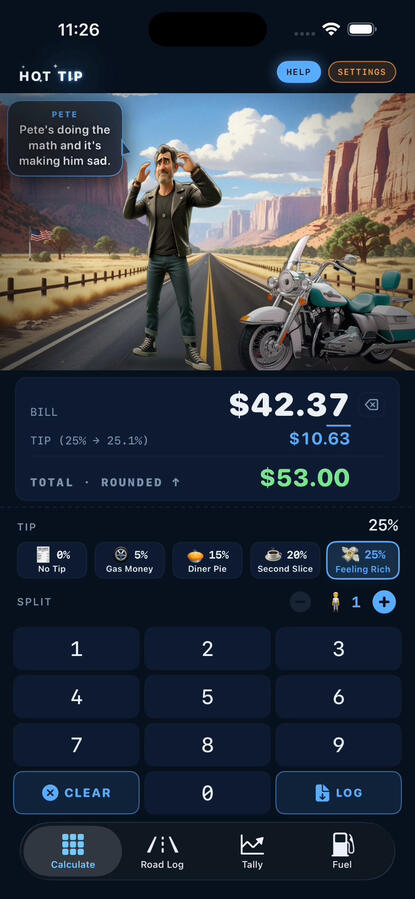
The app preview plays on the App Store listing. This is its poster frame.
For whoever ends up holding the check.
Quick with the math, and it keeps the receipts. That covers more than dinner:
- 🧾The checkThe tip is done before you find a pen, and the person working the room has something to say about it.
- 🍽️The groupWhen nobody wants an even split: photograph the receipt, tap who had what, and send everyone their share in Messages.
- 🍸The tabPaying for somebody again? Log it to their name and the app keeps count: who you’ve spent on, and how much.
- 🏍️The roadA weekend ride or a week across the desert. Pick The Open Road, log each stop with a photo, and it comes out as an instant print, town and all.
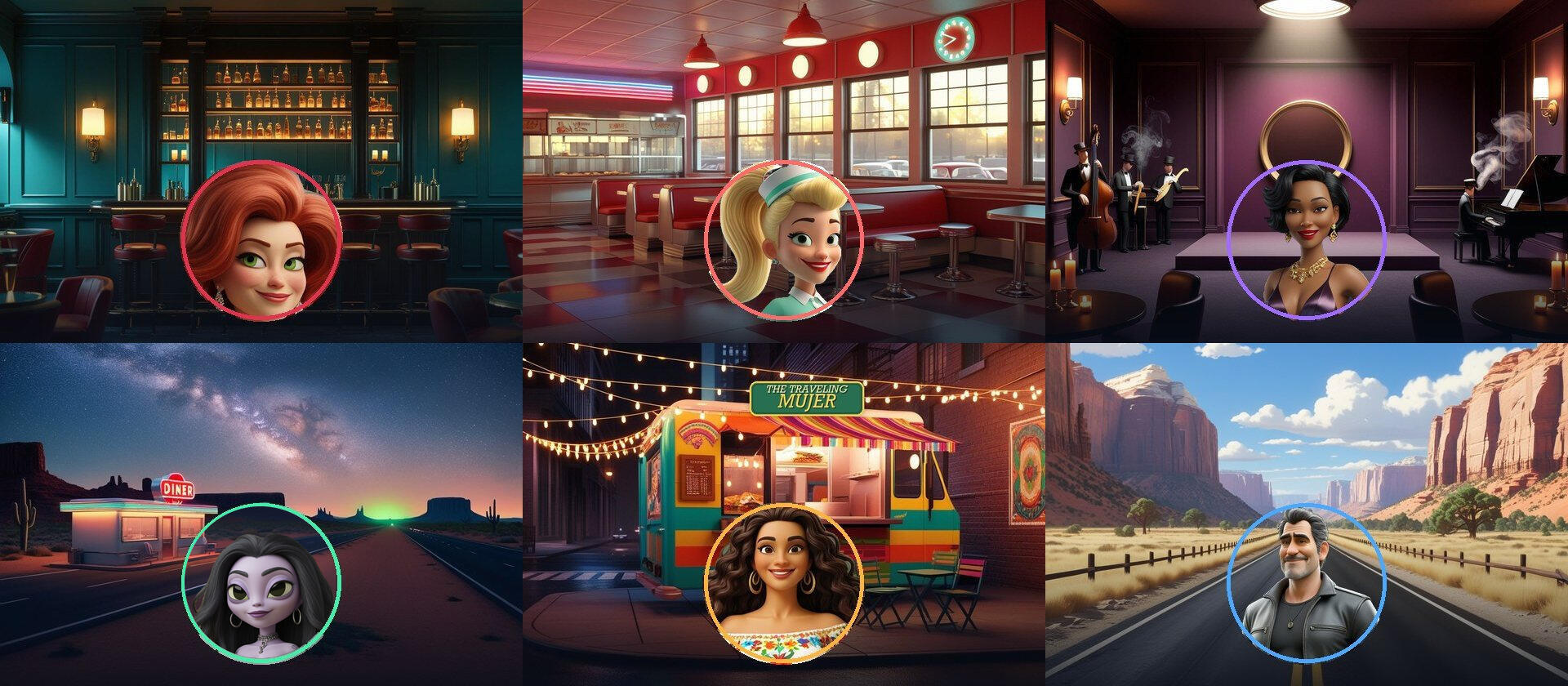
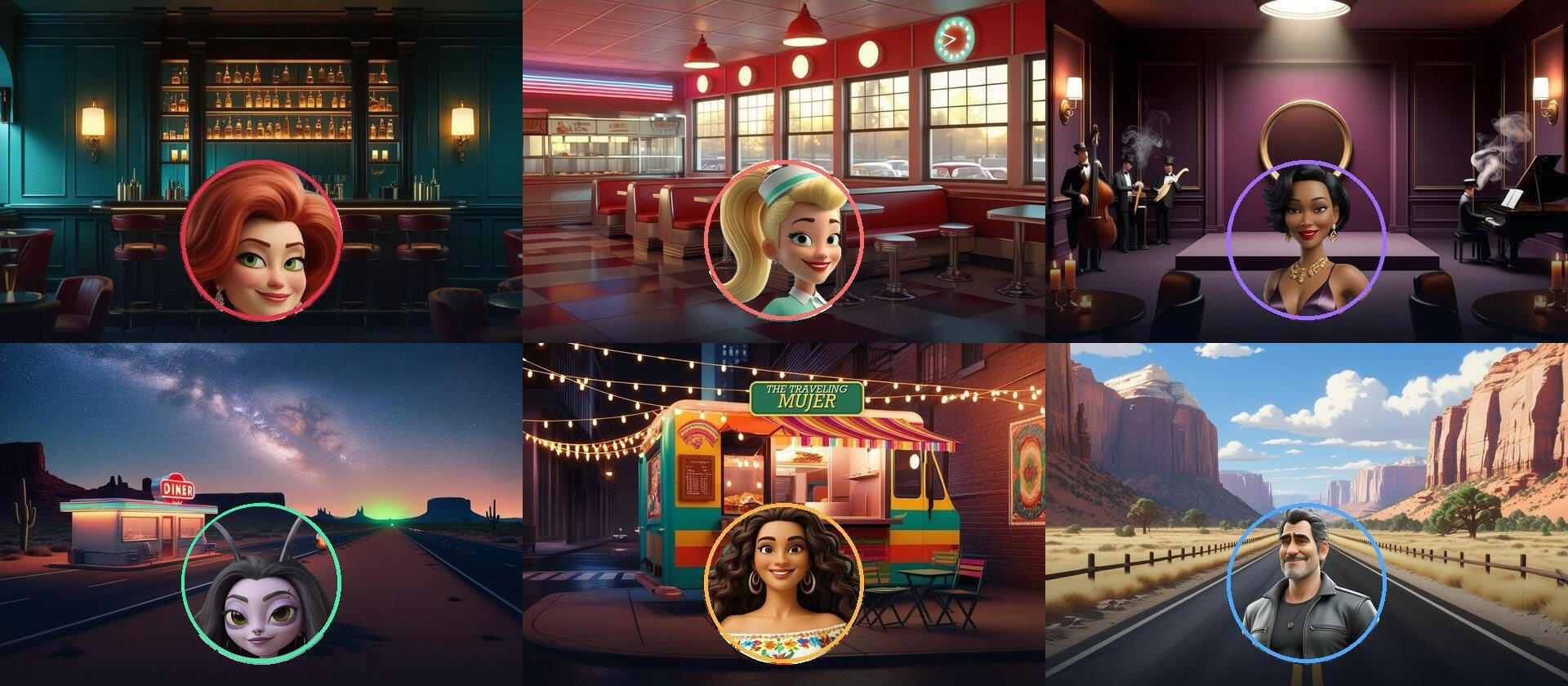
Six rooms. Six people with views.
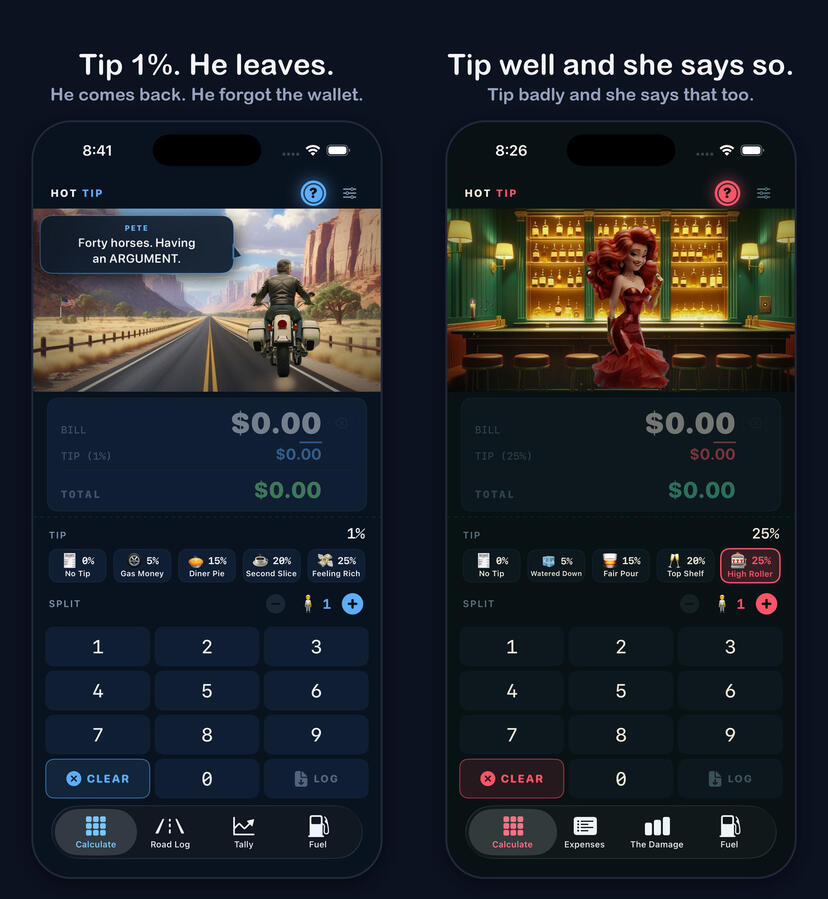
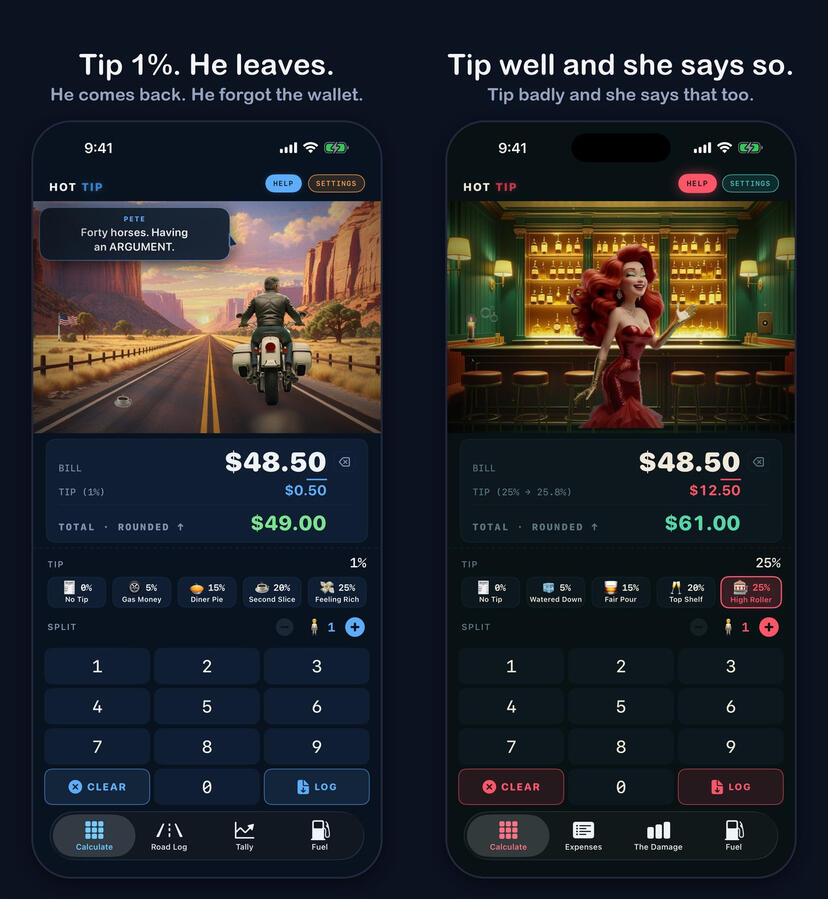
Pick one and somebody is working in it. Tip well and they say so. Tip badly and they say that too. Nobody is ever mean to you about money you don’t have.
- The Lounge
- The Diner
- The Blue Note
- The Abduction
- The Traveling Mujer
- The Open Road
There is a seventh door. Nobody is behind it — just the calculator, every rate at once, and what each person owes. It is called Straight Up, and it is there for the days you are not in the mood for any of them.
What it’s actually for.
Under the jokes it is a real ledger, and everything in it is yours to take back out.
- A weekend runLog every stop — the place, what it cost, a photo of it, a photo of the plate, a rating out of five. Tally adds the run up: spent, days, per day, per stop. Comes out as an instant print with the town, the county and the coordinates across the bottom.
- A night outPut the check on somebody’s tab and the app keeps a running one. Split it three ways by what each person actually ate, and send everyone a real receipt in Messages. Photograph the plate and that night has a picture you would actually post.
- Your data, backExport the whole ledger — every run, stop, person, expense and photo — as one package: a JSON file and a folder of pictures, into a folder you own. Open it in a spreadsheet, put it on a map, or move it to a new phone. It never passes through anyone.
Two of them are always leaving.
A man on a Harley who has been everywhere and remembers all of it, mostly as it relates to him. A truck that is wherever it decided to be that week. He has been in every one of these rooms. She turns up in places she has no business being. Stories travel the way travelers do — arriving before the people in them, picking something up at every stop.
- Four times now, across four different years, he has let a bartender know he’ll be back through in the spring. He considers each one a favor to her.
- Somebody came a very long way for a specimen and went home without one. Whatever happened instead, two of them agreed never to write it down.
- One slice of pie. Eleven coffee refills. A Tuesday, some years ago. She still has the page.
- Two of them tell the same story about the same night. Neither version has the other one in it.
- There is a second motorcycle on that road, and it is the wrong make. Nobody in here will say whose it is.
- There is a roadrunner. Everyone has an opinion about the roadrunner.
You will not be told any of it. Some of it only surfaces when it rains. Some of it only if you leave them alone for a while.
It knows what it’s like outside.
Leave the weather on and the sky in the room is the sky over your head. The highway goes gold at sunset and dark after it. The windows of the diner go with the hour. Somebody mentions the forecast, usually unhelpfully.
On Straight Up it stops being scenery. Somebody is out working in that rain, and tipping a little more for it is a real courtesy with a real number attached — so the receipt prints the number, once, and never asks twice. Weather by Apple Weather.
What it doesn’t do.
- No ads. Nobody pays to be in here. I might mention another app I made — never anyone else’s.
- No tracking. Nothing about you is collected by me. There is no server to send it to.
- Nothing sold, ever. Nothing about you is sold, rented, or handed to a data broker, and a feature only uses the least data it needs to do the job you asked for.
- No subscription. No pro tier, no trial, no feature dangled out of reach.
- No tricks. No fake urgency, no buried buttons, no guilt on the way out.
I know it’s none of my business what you spent or who you were with. You have enough people trying to trick you out of your hard-earned money. I’d rather not be one of them. — Ryan, who made it
There’s a tip jar on the first screen of Settings. It unlocks nothing, because there’s nothing left to unlock. The app never asks.
A look at it.
Support
Send us a message from the form at the foot of this page and you will get a reply from the person who wrote the app.
Send us a messageYour name, your email address and your message are emailed to the shop. They are used to answer you and nothing else.
Common questions
- Why did my total go up a few cents?
- Out of the box the total rounds up to the next dollar. The TOTAL line says "ROUNDED ↑" when that happens, and the TIP line shows what you actually left. Change it in Settings ▸ Tipping ▸ Rounding.
- The Open Road seems to praise small tips.
- It does. That character is cheap and his scale runs backwards on purpose. Every other room reads a tip the normal way.
- Where did my souvenir photo go?
- To your camera roll, if you allowed Photos access when asked. You can make it again any time: swipe or press and hold a stop in the Road Log and choose Souvenir.
- Can I get my data out?
- Settings ▸ Your Data ▸ Export writes the whole ledger — every run, stop, person, expense, milestone and photo — as a
.hottippackage (aledger.jsonplus a photos folder) into a folder you own: iCloud Drive ▸ Hot Tip when iCloud Drive is on, otherwise On My iPhone ▸ Hot Tip. A backup of the same package is refreshed there automatically whenever you leave the app with something new. To move to a new phone or take a friend's rides, tap the package in Files, or use Settings ▸ Your Data ▸ Import — it adds what is missing and never deletes. - Does my ledger sync to my other devices?
- Yes, if your iPhone is signed in to iCloud. Checks, people, trips, stops, vehicles and their photos are kept in the private iCloud of your own Apple Account, so another iPhone signed in to the same account has them too. The developer cannot see any of it. To stop, turn Hot Tip off under Settings ▸ your name ▸ iCloud; the export package above still works either way.
- Does the app track me or show ads?
- No analytics, no tracking, no account, and no ads — nobody pays to be in this app. The one exception is not an exception to any of that: now and then it may mention another app or theme from The Butcher Shop, in a corner you can ignore. Nothing about you is used to decide what it says, no email is ever collected, and no third party is involved. See the privacy policy.
- Why does the app ask for my location and camera?
- Location does two jobs, both only while the app is open: it stamps the town, county and coordinates on a road-stop souvenir, and — at reduced accuracy — it lets the rooms ask Apple Weather what it is like outside, so the highway can go gold at sunset and rain can show through the diner window. Your location goes to Apple for that answer and nowhere else; it is never stored and never sent to the developer. Turn it off in Settings ▸ Outside. The camera is only for photographing a receipt, a gas pump, a charger screen, an odometer, a place or a plate; the numbers are read off the picture on your phone, and the photo stays in your own ledger.
- I said Don't Allow to location. Why isn't the weather in the rooms?
- With the weather switch on, a room asks for location the first time it needs it. iPhone only ever shows that request once; after a Don't Allow, no app can ask again. Settings ▸ Outside shows what the app has under "Right now" — if it says the location was declined, tap Turn on location in iOS Settings, choose Location ▸ While Using the App, and come back. The rooms know the sky within a moment.
- What does the app cost?
- Nothing. Every room, every feature and every update is included. Nothing is locked, nothing is a trial, and nothing expires. There is a tip jar on the first screen of Settings if you want to leave something — it buys nothing, unlocks nothing, and the app never asks.
Hot Tip is made by The Butcher Shop LLC.
Privacy Policy
Last updated September 25, 2026
Hot Tip has no account, no server of its own, no analytics and no advertising. It makes exactly two kinds of request, both to Apple and both switchable off: the weather in the rooms, and a once-a-day look at whether a newer version is out. Your ledger stays on your iPhone and, if iCloud is on for Hot Tip, in your own iCloud account. One feature — the rooms reacting to the weather outside — asks Apple's weather service about your area, and that is described below.
What the app stores, and where
- Your checks, the people you log them to, your trips and stops, and any photos you attach are saved in a database on your own iPhone.
- None of it is uploaded to the developer. There is no Hot Tip account and no Hot Tip server to upload it to.
- iCloud sync. If your iPhone is signed in to iCloud, the ledger — checks, people, trips, stops, vehicles and their photos — is also kept in the private iCloud database of your Apple Account, so it appears on your other devices signed in to the same account. That database belongs to your account: the developer cannot see into it, and nothing in it is collected, shared or used for anything else. To stop syncing, turn Hot Tip off under Settings ▸ your name ▸ iCloud on each device; what is already on the phone stays there, and what is already in iCloud can be removed from Manage Storage in the same place.
- When you save or share a souvenir, that is your own action through iOS. The app never posts anything anywhere for you.
- You can export the whole ledger — every record and photo — as a package (a JSON file plus the photos) and take it with you. When iCloud Drive is on, the app also keeps a backup of that package in your iCloud Drive, under Hot Tip; with it off, the backup stays on the phone. Either way it is your storage, not ours, and it never passes through us.
- Deleting the app removes everything it kept on the phone. A backup already written to your iCloud Drive, and the synced copy in your iCloud account, are yours and stay there until you delete them, the same as any other data in your iCloud.
The weather in the rooms
The rooms can react to what it is like outside — the highway goes gold around sunset, rain shows through the diner window, somebody mentions the forecast. To do that the app asks Apple Weather about your area, the same service the Weather app uses.
- The request uses a reduced-accuracy location, not your exact position, and it goes from your phone to Apple. It does not come to the developer, and there is nowhere else for it to go.
- It happens at most once every few hours, and only while the app is open on a theme that uses it.
- With the switch on, a room asks iPhone for location permission the first time it needs it. iPhone shows that request once; decline it and the app cannot ask again, and the rooms simply do not know the sky.
- What comes back — the sky, the sunset, an alert headline and three days of conditions — is held only for the moment it is used. No coordinates are written down, and nothing is attached to your ledger.
- You can turn it off in Settings ▸ Outside. Off, the rooms simply don't know, and nothing else changes.
Weather data provided by Apple Weather.
Checking for a newer version
Once a day at most, and only while the app is open, Hot Tip asks Apple's public App Store lookup whether a newer version has been released. The request carries the app's own identifier and nothing else — no account, no device identifier, no ledger, no location. What comes back is a version number and a link to the app's own App Store page. If the store is ahead, whoever is in the room mentions it once and never again for that version.
You can turn it off in Settings ▸ Outside ▸ Tell me about updates. Off, the request is never made.
Permissions the app may ask for
- Camera — only when you photograph a receipt, a gas pump, a charger screen, an odometer, a place or a plate. The photo is downscaled and saved into the app's own database on your device. When you photograph a receipt, a pump or charger screen or an odometer, the numbers are read off the picture on your iPhone — first by Apple's on-device text recognition, and on iPhones that have Apple Intelligence, a second on-device pass by Apple's own model tidies a messy read into the right fields. An iPhone without Apple Intelligence falls back to the app's own rules and loses nothing else. Both steps happen on your iPhone; the picture is never sent anywhere. The camera is not used for anything else.
- Photos (add only) — so a trip souvenir can be saved to your camera roll. The app can add a photo and cannot read the photos already there.
- Location (while using the app) — used in two places, and only while the app is open. When you log a road-trip stop, one position fix is taken so the town, county and coordinates can be printed on that stop's souvenir; that stays in your own ledger, and the lookup that turns coordinates into a place name is performed by Apple's own system service. Separately, a reduced-accuracy location is used to ask Apple Weather what it is like outside, as described above. There is no tracking, no background location, and no location history beyond the stops you save.
- Face ID — only if you turn on Dogstar Mode, which puts a lock in front of your ledger. The result is checked by iOS; the app never sees biometric data.
- Contacts — the app uses Apple's contact picker, which runs outside the app. It receives only the one contact you tap and never has access to your address book.
What is never done
Nothing about you is sold, rented, or handed to a data broker. There is no analytics SDK, no advertising SDK, and no third-party tracking of any kind in this app.
Notices about the developer’s other apps
The app may occasionally mention another app or theme from The Butcher Shop, in a quiet corner you can ignore. This is not advertising and it changes nothing on this page: nobody pays to appear there, no third party is involved, nothing about you is used to decide what is shown, and no data leaves your phone because of it. There is no mailing list and no email address is ever collected.
How future decisions get made
Everything above describes the app as it is today, and every line of it can be checked. What follows is not a promise about a feature — it is the standard the next decision is held to.
If this app ever needs a third-party service, or a kind of data it does not take today, that choice gets made for the person using it rather than for the revenue. It might still happen; software changes and so do the things it has to talk to. What will not happen is it being done quietly, or being done because it pays better. Anything of that sort will be described on this page before it ships, and switchable off wherever it can be.
The two rules behind all of this
Everything above is what this version does today, and it can be checked. These two are the standard the next decision gets held to, and they do not change with a release:
- Nothing about you is sold, rented, or handed to a data broker. Not aggregated, not anonymized, not “with a trusted partner”.
- Only the least data a feature needs to work, and only for that feature. If something has to leave your iPhone to do a job you asked for, it is the smallest thing that does the job, it is named on this page, and it is not kept or used for anything else.
That is deliberately a promise about conduct rather than a list of technologies this app swears never to touch. A promise of the second kind is easy to make and easy to break quietly; this one has to be kept every time a feature is added.
The tip jar
Hot Tip is free and complete. If you choose to leave a tip, the purchase is handled entirely by Apple through the App Store — the developer never sees your payment details, and the app does not record who tipped or whether you did. Nothing in the app is locked behind it.
Children
Hot Tip is not directed at children and collects no personal information from anyone.
Changes
If this policy ever changes, the updated version will be posted at this address with a new date at the top.
Writing in
Contact is a form on this page rather than an email address. What you type into it — your name, your email address and your message — is emailed to The Butcher Shop by the service that hosts this website, and that service's own privacy policy covers the delivery. The message is used to answer you, and the reply comes from the person who wrote the app. The app itself has no part in this: it sends nothing when you write in, and nothing you say in the form is joined to anything in your ledger.
Contact
Questions about privacy in Hot Tip: send us a message from the form at the foot of this page.
Hot Tip is made by The Butcher Shop LLC.